
Deep Cleaning & Thermal Paste
Laptop Deep Cleaning and Thermal Paste Service in Perumbakkam, Chennai
Internal dust removal and fresh thermal paste to reduce heat, fan noise, throttling and unexpected shutdowns.
Symptoms
Common problems
- The machine runs hot even during light work such as browsing
- Fan noise is constant and the exhaust air is very warm
- The laptop feels sluggish after a few minutes and then recovers when idle
- Dust is visible in the vents
- The machine has never been opened for cleaning in several years
- Temperatures reported by monitoring software sit unusually high
What the service involves
Service details
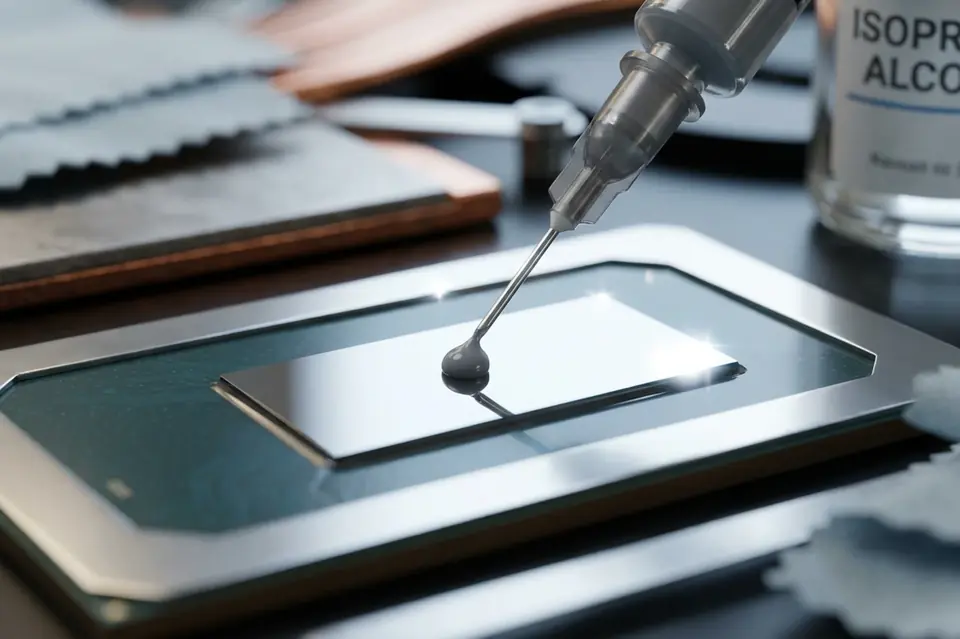
The machine is opened, the cooling assembly is removed, and the fin stack and fan blades are cleared. Old compound is cleaned off the processor and the heat sink contact surface, and fresh thermal paste is applied and the assembly refitted with the correct seating.
Internal surfaces, vents and the fan housing are cleaned while the machine is open, and temperatures are checked afterwards under load to confirm the improvement.
Why this service may be needed
Cleaning is maintenance rather than repair, which is why it tends to be postponed until something goes wrong. Doing it before the machine starts shutting down keeps the fan quieter, the base cooler, and the components inside working in the temperature range they were designed for.
Step by step
How the service works
- 1
Contact or visit
Call, message on WhatsApp, or bring the machine to the counter on Nookampalayam Road.
- 2
Initial inspection
The device is checked physically and powered up where possible to see how it behaves.
- 3
Issue identification
Testing narrows the fault down to a part, a board-level problem or a software problem.
- 4
Service recommendation
The finding is explained to you along with what the repair or replacement involves.
- 5
Repair or replacement
Work starts once you agree to it — repair, part replacement, upgrade or reinstallation.
- 6
Testing
The machine is run and checked again to confirm the original symptom is gone.
- 7
Handover
The device is handed back with an explanation of what was done.
Related services
Often looked at alongside this
- Laptop Fan Replacement & Cooling ServiceNoisy, rattling or stopped cooling fans replaced, and blocked airflow paths cleared to bring temperatures down.
- Laptop & Desktop RepairGeneral diagnosis and repair for laptops, desktops and all-in-one machines that will not start, run slowly or behave unpredictably.
- RAM & SSD UpgradeMemory and solid state drive upgrades for laptops and desktops that have become slow to boot and slow to switch between applications.
Frequently asked
Questions about laptop deep cleaning & thermal paste
Something not covered here? Call the counter or send a message on WhatsApp with your model number and the symptom.
How do I know my laptop needs internal cleaning?
A base that grows hot during ordinary use, constant fan noise, and weak airflow at the exhaust vent are the usual signs — particularly on a machine that has never been opened.
Does replacing thermal paste really make a difference?
When the existing compound has dried out, yes. It is the contact layer that moves heat from the processor to the heat pipe, and a degraded layer raises temperatures noticeably.
Can I clean the vents myself with compressed air?
Blowing air into a vent can push dust further into the fin stack and spin the fan beyond its rated speed. Cleaning is more effective with the cooling assembly removed.
Will cleaning make my laptop faster?
If the machine has been slowing down because of heat, temperatures come down and it stops throttling. If the slowness is caused by storage or memory, cleaning will not change it.
Is deep cleaning done together with fan replacement?
They are often carried out in the same visit, since the cooling assembly has to be removed for either one.
Contact Laptech
Need laptop service? Contact Laptech today
Call the counter in Perumbakkam or send the model number and symptom on WhatsApp.