
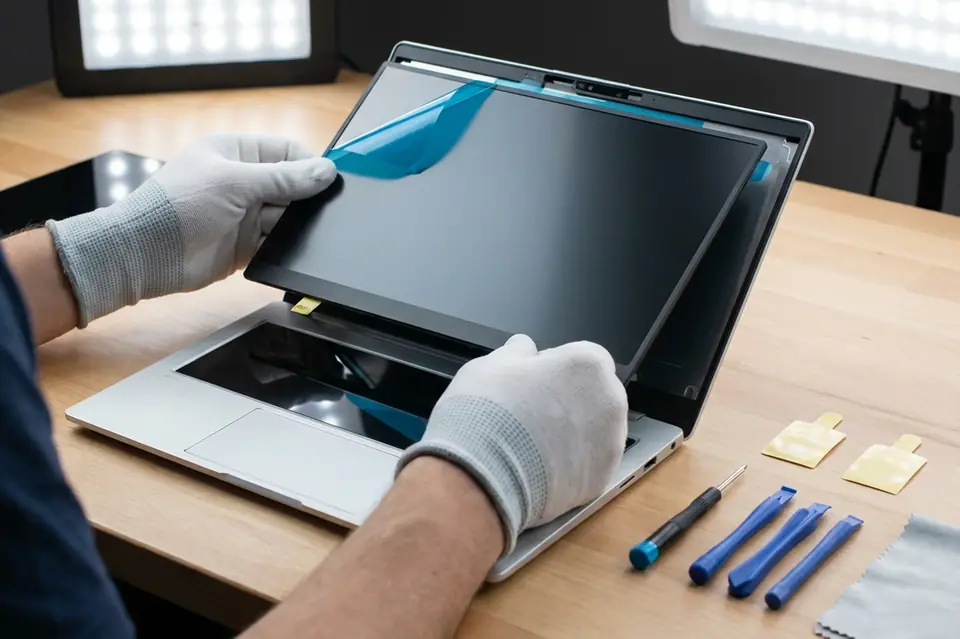
Laptop Screen Replacement
Laptop Screen Replacement in Perumbakkam, Chennai
Display diagnosis and replacement for cracked panels, flickering screens, coloured lines, dark patches and backlight problems.
Symptoms
Common problems
- Cracks, spider lines or a spreading dark patch on the display
- Vertical or horizontal coloured lines across the picture
- The screen flickers, dims or blinks during use
- Part of the display stays black while the rest works
- The image is visible only faintly, as if the backlight is off
- The picture changes or disappears when the lid is moved
What the service involves
Service details
The machine is first connected to an external monitor to confirm the fault sits in the display assembly and not in the graphics section on the board. The lid is then opened and the panel, its ribbon cable and the backlight connection are examined.
If the panel needs replacing, one matching your model's size, resolution and connector type is fitted, and the assembly is closed and tested at full brightness across the whole screen. Where the cable or connector alone is at fault, that is repaired instead of replacing the panel.
Why this service may be needed
A small crack rarely stays small. Pressure from opening and closing the lid tends to spread the damage across the panel, and a display that flickers today often fails completely a few weeks later. Having it looked at early also avoids the risk of a broken panel damaging the cable behind it.
Step by step
How the service works
- 1
Contact or visit
Call, message on WhatsApp, or bring the machine to the counter on Nookampalayam Road.
- 2
Initial inspection
The device is checked physically and powered up where possible to see how it behaves.
- 3
Issue identification
Testing narrows the fault down to a part, a board-level problem or a software problem.
- 4
Service recommendation
The finding is explained to you along with what the repair or replacement involves.
- 5
Repair or replacement
Work starts once you agree to it — repair, part replacement, upgrade or reinstallation.
- 6
Testing
The machine is run and checked again to confirm the original symptom is gone.
- 7
Handover
The device is handed back with an explanation of what was done.
Related services
Often looked at alongside this
- No Power / No Display RepairFor machines that stay completely dead, or that power up with fans running but leave the screen blank.
- Keyboard & Touchpad ReplacementDead keys, repeating keys, spill damage and touchpads that have stopped responding correctly.
- Laptop & Desktop RepairGeneral diagnosis and repair for laptops, desktops and all-in-one machines that will not start, run slowly or behave unpredictably.
Frequently asked
Questions about laptop screen replacement
Something not covered here? Call the counter or send a message on WhatsApp with your model number and the symptom.
What are the signs that a laptop screen needs replacement?
Cracks, spreading dark blotches, permanent coloured lines and areas that never light up are all panel faults. Flickering and dimming can also be the cable or backlight, so they are tested separately.
Can a cracked laptop screen be replaced?
Yes. The damaged panel is removed and a replacement of the correct size, resolution and connector type for your model is fitted.
Why is my laptop display flickering?
Flickering is often a loose or worn display cable where it passes through the hinge, or a failing backlight, rather than the panel itself — which is why the cable is checked before a panel is replaced.
Can a blank laptop display be repaired?
It depends where the fault is. If an external monitor shows a normal picture, the problem is in the display assembly and can usually be resolved. If it does not, the board is examined instead.
Will I lose my files when the screen is replaced?
No. A screen replacement does not involve the storage drive or the operating system.
Contact Laptech
Need laptop service? Contact Laptech today
Call the counter in Perumbakkam or send the model number and symptom on WhatsApp.