
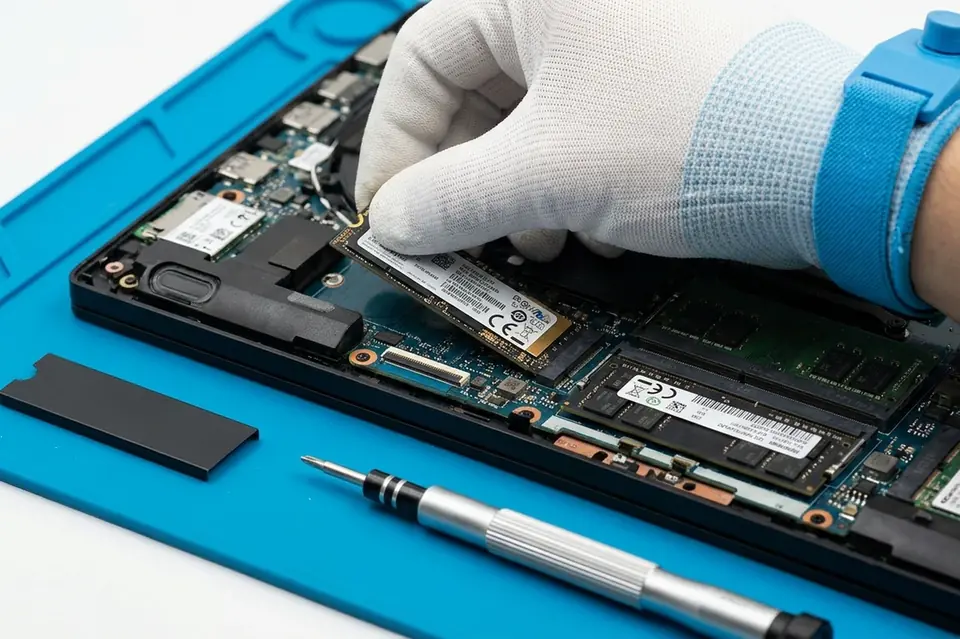
RAM & SSD Upgrade
RAM and SSD Upgrade in Perumbakkam, Chennai
Compatible RAM and SSD upgrades for faster startup, smoother multitasking and improved everyday performance.
Symptoms
Common problems
- The system takes several minutes to reach a usable desktop
- The machine stalls when several applications or browser tabs are open
- The hard disk light stays on constantly while nothing appears to happen
- Storage is full and cannot be freed up any further
- Clicking or grinding noises from a mechanical hard disk
- Newer software will not run comfortably on the available memory
What the service involves
Service details
Compatibility is checked first: how many memory slots your model has, what capacity and speed it supports, and whether it takes a 2.5-inch drive, an M.2 slot or both. That determines what the machine can actually take, which varies a great deal between models.
The upgrade is then fitted and set up. Where you want your existing installation kept, the system is moved across to the new drive; where a fresh installation is preferred, that is done instead. The old drive can be retained as secondary storage on models that allow it.
Why this service may be needed
Upgrading is usually the least expensive way to make an ageing machine comfortable to use again, and it is worth considering before deciding to replace the computer. Where an upgrade will not help — because the limitation is the processor — that will be said plainly.
Step by step
How the service works
- 1
Contact or visit
Call, message on WhatsApp, or bring the machine to the counter on Nookampalayam Road.
- 2
Initial inspection
The device is checked physically and powered up where possible to see how it behaves.
- 3
Issue identification
Testing narrows the fault down to a part, a board-level problem or a software problem.
- 4
Service recommendation
The finding is explained to you along with what the repair or replacement involves.
- 5
Repair or replacement
Work starts once you agree to it — repair, part replacement, upgrade or reinstallation.
- 6
Testing
The machine is run and checked again to confirm the original symptom is gone.
- 7
Handover
The device is handed back with an explanation of what was done.
Related services
Often looked at alongside this
- Laptop & Desktop RepairGeneral diagnosis and repair for laptops, desktops and all-in-one machines that will not start, run slowly or behave unpredictably.
- Laptop Deep Cleaning & Thermal PasteInternal dust removal and fresh thermal compound on the processor to restore heat transfer and reduce fan noise.
- Motherboard / Chip-Level ServiceBoard-level diagnosis and repair for power faults, shorted circuits and components that have failed on the motherboard itself.
Frequently asked
Questions about ram & ssd upgrade
Something not covered here? Call the counter or send a message on WhatsApp with your model number and the symptom.
Can RAM be upgraded on every laptop?
No. Some models have memory soldered to the board with no slot at all, and others have a single slot with a maximum supported capacity. Your model is checked before anything is recommended.
Does an SSD really improve laptop performance?
For a machine still running a mechanical hard disk, it is the most noticeable upgrade available — start-up, application loading and file access all depend on storage speed.
How do I know if my laptop needs more memory?
If the machine slows down specifically when several applications or many browser tabs are open, and recovers when you close them, memory is the likely limit.
Can RAM and SSD be upgraded together?
Yes, and on an older machine doing both at once usually gives the clearest improvement, since they address two different bottlenecks.
Will I lose my files and my Windows installation?
Not if you want them kept. The existing system can be migrated to the new drive; a clean installation is done only if you prefer one.
Contact Laptech
Need laptop service? Contact Laptech today
Call the counter in Perumbakkam or send the model number and symptom on WhatsApp.